
Efficientix / Solutions / Expense app
Expense app: your expenses under control, from anywhere.
Expense reporting from the phone, automatic policy validation and reimbursements that stop taking weeks. All inside NetSuite.
How we help
From challenge to value
The challenge
- Manual, late expense entry
- Difficulty validating policies and receipts
- Delays in approvals and reimbursements
- Lack of traceability on spending
- Less visibility for control and audit
Our solution
- Simplifies expense management inside NetSuite
- An orderly, controlled operation, from capture to validation
- Real-time visibility for finance and administration
Value for your company
- Faster, more consistent processes
- Better control over policies and receipts
- Reduced administrative workload
- A better experience for users and approvers
- Faster reimbursements
The problem
What problem do we solve?
Expense closing still lives among Excel, emails and loose receipts. The result is always the same:
What happens today
- Receipts that arrive weeks after the trip
- Policies reviewed by hand, one by one
- Reimbursements that take weeks and wear the team down
- Advances with no control or reconciliation
- Finance with no visibility of spending until the close
The promise
Expense reporting stops being a chore
The employee captures from the phone with the evidence in hand, the policy validates itself and the approver resolves in one click. Finance sees the expense the moment it happens.
Capture in seconds. Reimbursement in days.
Why
Why do companies adopt the Expense App?
They report from the phone, at the moment of the expense
They validate policies without checking receipt by receipt
They cut reimbursement from weeks to days
They see spending in real time, not at close
They keep everything in a single system: NetSuite
They close audits with complete evidence
Spending is not controlled at the close. It is controlled when it happens, and that is where the app lives.
Capabilities
From the receipt in hand to the approved report
Policies and approvals
Company rules apply themselves, before the report reaches finance:
- Limits by category, position and subsidiary
- Approval flows by amount and hierarchy
- Alerts for duplicates and missing receipts
- Approval from email or from NetSuite
Impact: The approver decides, not audits.
Capture with evidence
- Photo of the receipt from the phone
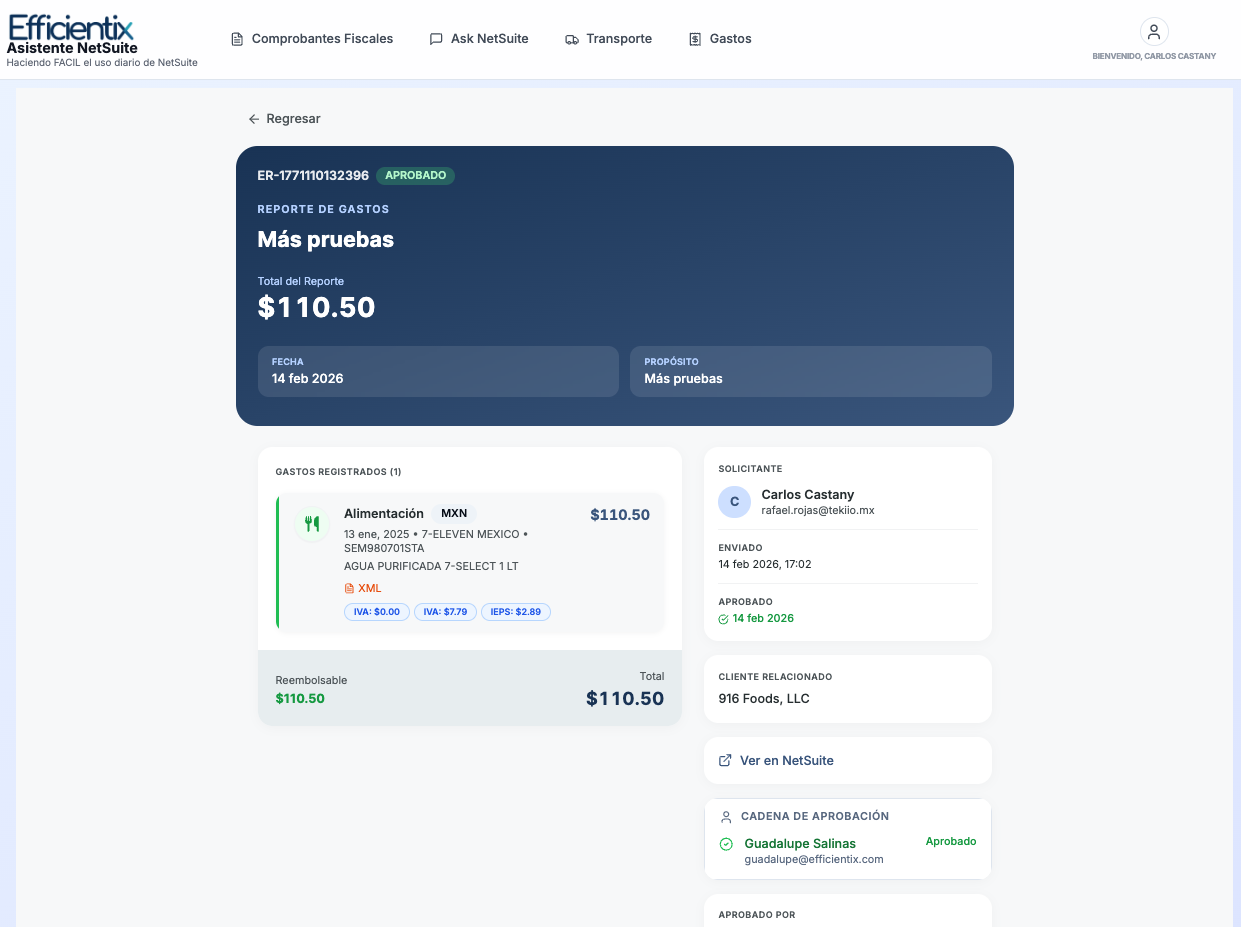
- XML reading and CFDI validation with the SAT
- Classification by category, project and cost center
- Foreign currency expenses with automatic exchange rate
Impact: Zero lost receipts and zero re-entry.
Requests and advances
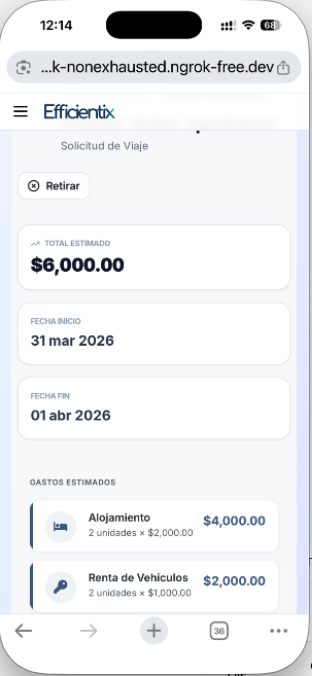
The employee requests the advance before the trip and the app reconciles it against the expenses reported on return, with no parallel spreadsheets.
Impact: Every dollar handed out is either reported or returned.
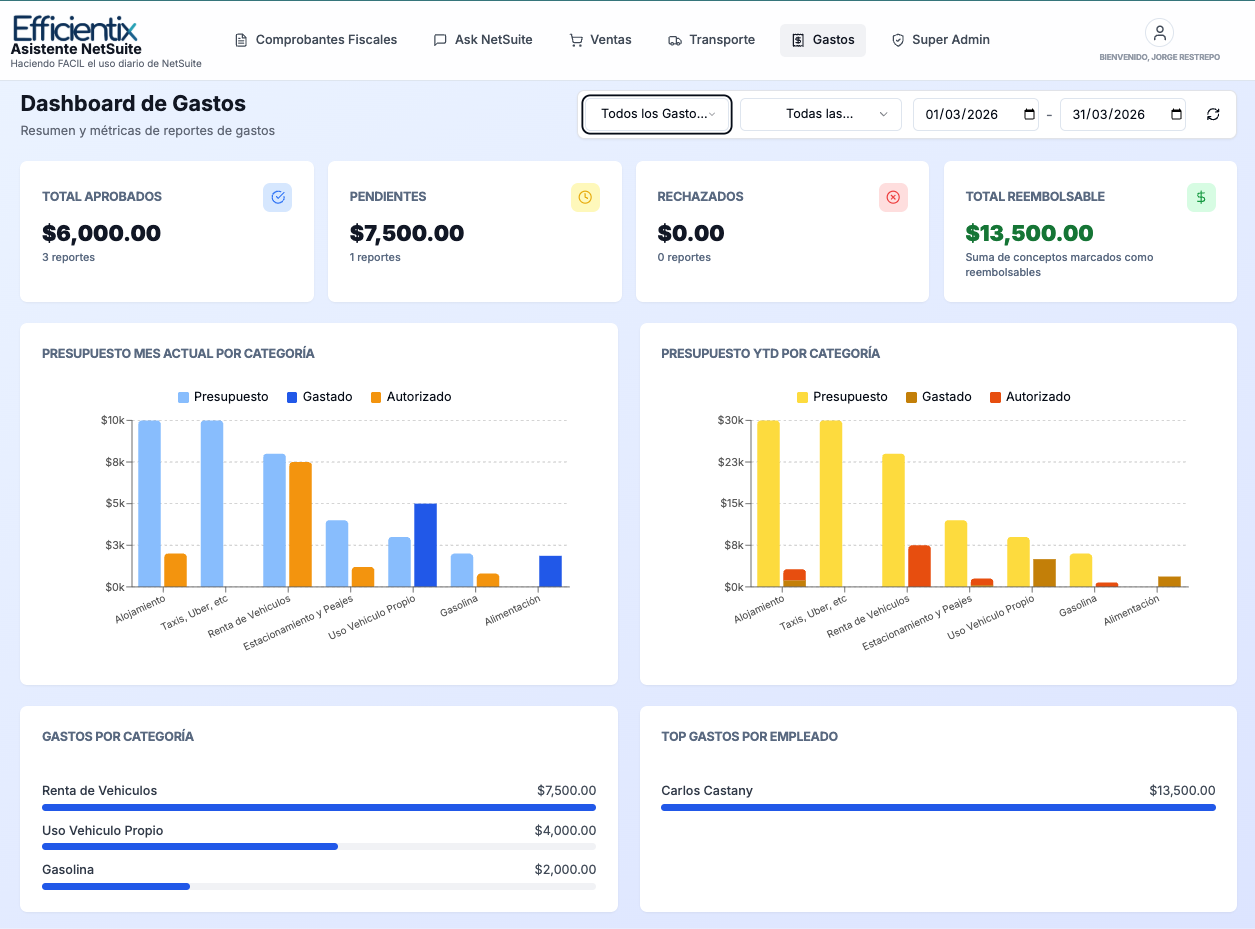
Visibility for finance
- Spending by area, project and employee
- Month accruals before the close
- Creditable VAT identified from the XML
Impact: Budget and reality, on the same dashboard.
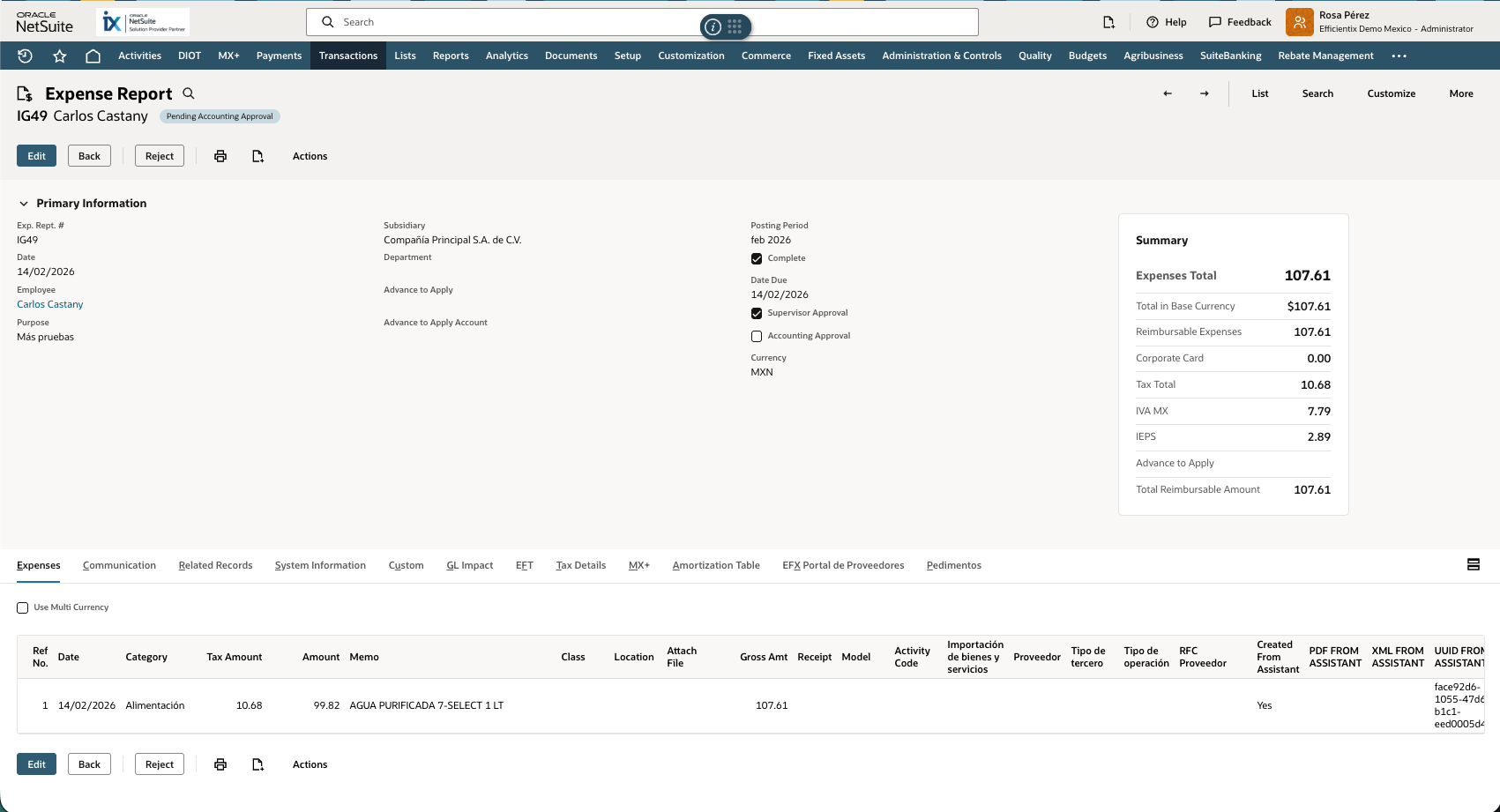
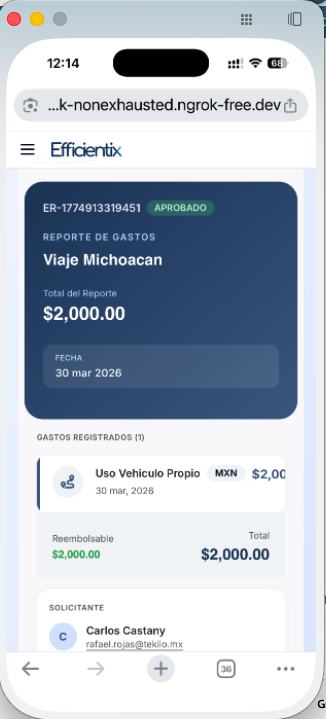
Real screens
What the app looks like in operation
Screenshots of the application with demo data.
Comparison
From the receipt in the drawer to spending under control
If NetSuite is your ERP, expense reporting should live inside it.
Benefits and return
What changes from the first close
“Before, we closed the month’s expenses with Excel, emails and loose receipts. Today every trip is reported from the phone, reimbursements dropped from three weeks to a few days and finance finally sees everything in real time inside NetSuite.”
— Director of Finance · Efficientix client · Manufacturing industry
Use cases
The same control for very different teams
Policies are configured by area, position and subsidiary, so the same flow works for a sales force on the road and for a corporation with international travel.
Sales force
Fuel, tolls and per diems reported from the road, without going back to the office.
Field service
Technician expenses assigned straight to the service order or project.
Consulting and projects
Client-reimbursable expenses, identified from capture.
Manufacturing
Minor purchases and plant petty cash, with creditable VAT under control.
Corporate
International travel in several currencies, with automatic conversion.
Your case isn't here? We configure categories, limits and flows to your expense policy.
Requirements and support
What you need to put it into operation
Technical requirements
- Active Oracle NetSuite account (OneWorld or standard)
- SuiteApp installed from the Efficientix bundle
- iOS or Android devices with an up-to-date browser
- Catalog of categories, cost centers and approvers
- No additional servers or middleware
Support service
Included for the duration of the subscription:
- Access to the support center for up to 2 users
- Case tracking from intake to resolution
- SuiteApp updates included
- Training for end users and approvers
The expense flow, from start to finish
How it fits
It connects with the rest of your solutions
Use cases by industry
Where Expense app is used
Food and beverage
The expense app controls travel and plant and route expenses with approvals and cost centers.
Learn moreFintech and financial services
The expense app gives control and traceability to corporate expenses with approvals and cost centers.
Learn moreProfessional services
The expense app captures and approves travel and expenses by client and project, with tax receipts.
Learn moreStartups and scaling companies
The expense app controls corporate and team expenses with approval, receipts and cost centers.
Learn moreLivestock
The expense app controls travel and ranch operating expenses with approval and cost centers.
Learn moreTransportation and logistics
The expense app controls per diem, tolls and fuel per driver with approval and receipts.
Learn moreReal Estate
The expense app controls each property’s administration expenses with approval and cost centers.
Learn moreAI in expense control
AI helps review exceptions, such as atypical or duplicate expenses, and to query in natural language which categories rose against budget, to control without slowing down people who spend well.

FAQ
Questions, answered
What is the Expense Control App?
It is an Efficientix application for NetSuite that captures, validates, approves and posts corporate expenses with cost center and tax receipts.
Does the expense have to be entered twice?
No. The expense is recorded once in the app and reaches NetSuite posted.
Can spending policies be defined?
Yes. You can define rules by category, amount, role and project before the expense is paid.
How is the tax side validated?
It connects with MX+ and Suite Fiscal to validate each receipt’s CFDI.
Which industries is it for?
For any company with field employees or per diem: transportation, distribution, professional services, projects and retail.
// NETSUITE
Let's talk about your NetSuite project.
Tell us which system you run today and what you want to solve. We will propose the next step.
Operating in Mexico?
Does your company have a subsidiary in Mexico?
Run it in the same NetSuite as your U.S. headquarters. MX+ localization brings CFDI 4.0, DIOT and electronic accounting built in, with support in English and Spanish.